
If you’ve ever wanted to learn piano from the comfort of your living room, Playground Sessions is a piano lesson platform that keeps popping up in conversations. Created with help from legendary musicians and up to date with the latest interactive tech, it takes a bit of a different approach from the old school book and teacher method most of us grew up with. For 2026, Playground Sessions has made some updates and tweaks, so I figured it was a good time to give a full review based on what it’s like to use now, what you get for your money, and whether it’s worth making it your go to way to play piano online.
Here’s how I’d rate Playground Sessions for 2026 before breaking down all the details:
Platform: Playground Sessions
Website: playgroundsessions.com
Price (2026): Monthly $17.99, Annual $119.88 (works out to $9.99/month), Lifetime $299
Founders: Chris Vance (CEO)
Community: 700,000+ members worldwide
Overall Rating: 4.7/5
Trust Pilot User Rating: 4.8/5
Lesson Library: 5/5
Interactive Features: 5/5
Customer Support: 4.5/5
Piano Software Compatibility: 5/5
Free Trial: Yes. 7 days, no credit card required. Try Playground Sessions for free here.
I’ve tested a bunch of online piano lessons and digital piano software over the years, and Playground Sessions stands out for making things super hands on. It’s got a bit of a gamified feel, perfect for anyone who gets motivated by tracking progress and getting instant shout outs when they nail those tricky finger placements.
All the main stuff is right inside the software: sheet music, interactive lessons, real time feedback, and a music library that spans pop, classical, blues, and even trending TikTok songs. Pretty handy if you want to learn piano online and actually play the songs you love. There are choices for all skill levels, so you can start from scratch or jump in if you already know a few chords.
About Playground Sessions and Its Origins
Playground Sessions isn’t new, but the idea behind it still feels pretty fresh. Founded by Chris Vance, Playground Sessions teamed up with Quincy Jones and hired instructors who actually perform worldwide. The emphasis has always been on making piano accessible and enjoyable for anyone, not just people who started lessons as kids. This team approach is part of what makes their online piano lessons feel genuine instead of cookie cutter.
I started exploring the platform a few years back and have checked in for every update. Watching Playground Sessions grow from a basic online tutorial into fully interactive piano software has been interesting, especially since you can feel the push toward combining music education and digital tools at every step. The people behind it listen to member feedback, update the lesson plans based on what’s popular, and even add new features for different types of learners.
What Makes Playground Sessions Unique?
Plenty of programs claim to be the best way to learn piano, but what actually makes Playground Sessions worth considering in 2026 comes down to a few cool features that help new and returning players make steady progress:
- Fully Guided Lessons: Video instruction with famous musicians, often breaking down sheet music and piano basics in ways that stick.
- Instant Feedback: Plug in your digital piano or keyboard, and the app tells you how you’re doing, note by note. Mistakes get highlighted, and your accuracy score updates as you play.
- Song Library: A huge collection; over 2,000 songs and growing. Includes pop, rock, classical, R&B, seasonal tracks, and more.
- Progress Tracking: Earn badges, rack up points, and move up levels. Feels a bit like a piano RPG (but way more useful than grinding in a video game).
- Multiple Paths: Separate courses and lesson plans for total beginners, intermediate players, and even experienced pianists who just want more songs to jam on.
- Flexible Device Support: Runs on Windows, Mac, iOS, and now most newer Android tablets. Connects directly to any MIDI compatible keyboard or digital piano.
- Community Support: Member forums, live Q&A sessions, and regular instructor challenges help people stay motivated.
How Playground Sessions Works: Signing Up and Getting Started
Signing up for Playground Sessions is straightforward. Enter an email, pick your plan (or take the 7 day free trial), and download the app. The onboarding is better than most online piano lessons. You pick your skill level, what type of keyboard or piano you have, and the songs or styles you’re most interested in. The software builds a custom path for you. If you’ve got a digital piano or MIDI keyboard, you’ll want to connect it right away for the full interactive experience.
After logging in, you’ll see three major areas:
- Bootcamp: Great for total beginners, with step by step lessons on notes, reading music, basic chords, and rhythm.
- Courses: Divided into Beginner, Intermediate, and Advanced topics. Covering theory, technique, sight reading, and improvisation.
- Song Library: Play any song at your level, slow down tricky sections, or practice with backing tracks.
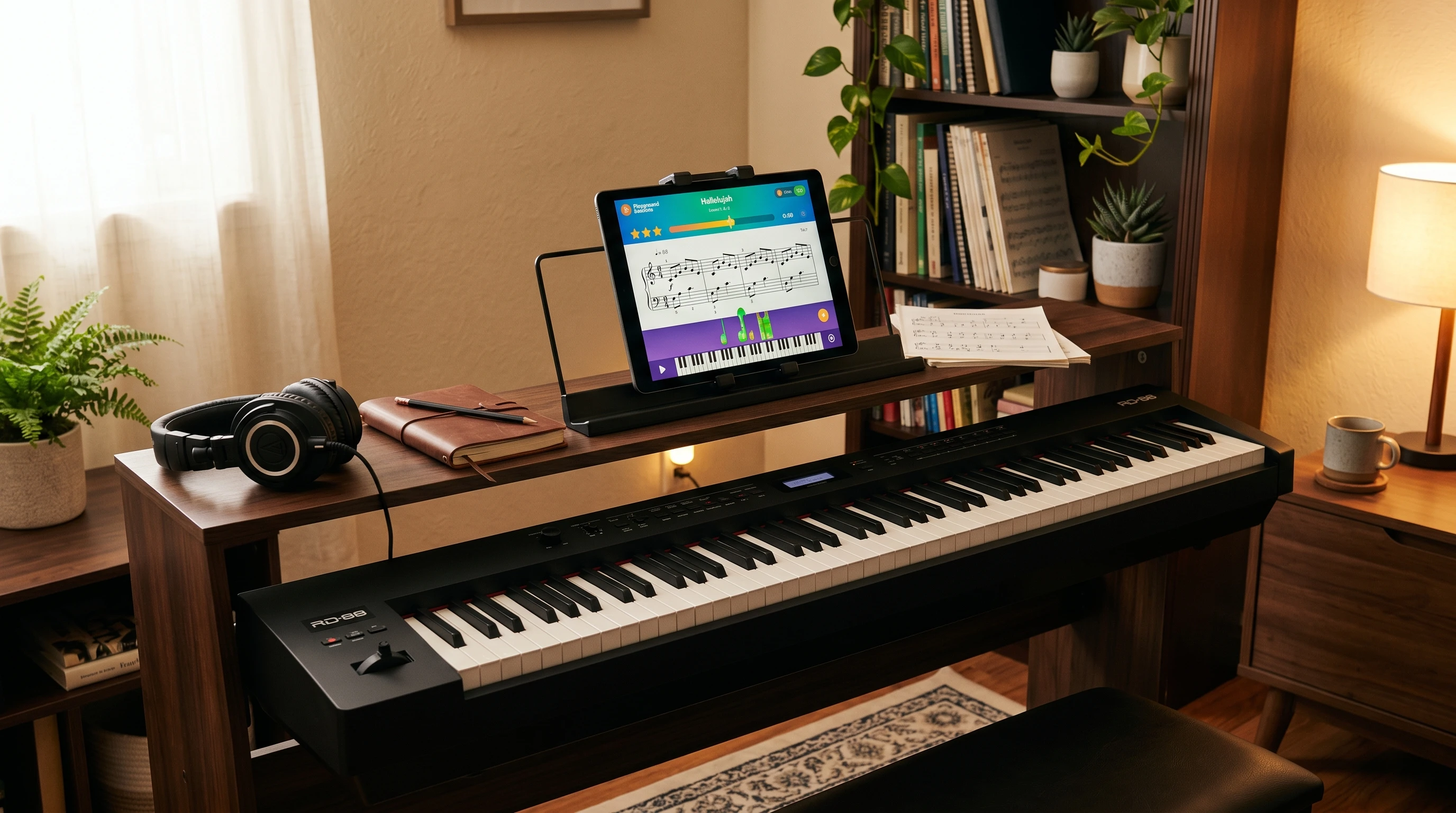
Each lesson opens with a quick intro, then jumps into “listen and watch,” followed by the real play along portion with feedback. Having the notation and keyboard visual on screen at all times is super helpful, so you won’t be flipping through pages while you’re trying to keep up.
Video Instructors and Learning Style
Playground Sessions has always put real musicians in front of the camera, so there’s less of that monotone, robotic feel you get from some learn piano online programs. Some faces you might recognize include Harry Connick Jr. and David Sides, who both bring a bit of personality and humor. The 2026 updates mean even more structured lesson clarity and shorter, focused video segments. I find it much easier to tackle a 5 minute skill video than a longwinded lecture about scales.
What’s cool is how the videos work directly with the interactive score. You’ll see the instructor demonstrate a section, then get tossed right into playing it yourself. The feedback system means you get visual and audio notes if you miss something or get the tempo wrong. I’ve learned some tricky pop intros and even improved my timing because of how responsive this is.
Song Library: Genres, Freshness, and Customization
The real star of Playground Sessions for a lot of people is that song library. It covers pop hits, classic rock staples, cinematic soundtracks, blues standards, and lots of beginner friendly tracks too. In 2026, the library seems even better. New songs arrive every week, including viral and popular tracks from TikTok or Spotify. You’ll find arrangements that are easy but sound great, and for many songs, there are beginner, intermediate, and advanced chart options.
Some recent additions from my own list:
- Current pop anthems and viral tunes
- Timeless classical pieces (think Beethoven, Debussy, Chopin)
- Beatles, Elton John, Queen
- Disney and movie favorites
Arrangements can be played solo or with backing tracks, so you get the full band experience. If you want to slow it down (a real help on fast parts), you can notch the tempo down without changing pitch, and even loop super tricky measures until they feel natural.
Practice Tools and Interactive Features
A big win for Playground Sessions is how it makes practice both productive and not the least bit boring. Here’s what I use the most:
- Instant Scoring: Get a number grade right after playing, so you know what needs work.
- Error Highlighting: Wrong notes, timing issues, and missed keys show up in color, making it easy to focus on what to fix next.
- Backing Tracks: Play along with virtual band, which makes learning a lot more fun.
- Practice Loops: Select a chunk of difficult music and repeat it at slow speed until it finally clicks.
- Progress Tracking: Earn coins, badges, and compare your improvement week to week. There’s even a leaderboard if you’re into a bit of friendly competition.
This stuff is the “secret sauce” for a lot of us. Accountability and metrics make all those hours of practice feel worth it.
Courses: Skill Paths and Deep Dive Lessons
Playground Sessions splits its course catalog into beginner, intermediate, and advanced tracks, which makes it easy to find your footing and avoid getting lost. Within each track, lessons are grouped around skills like reading music, chords, improvisation, and even music production basics (for those looking to use a digital piano for more than just playing songs).
- Beginner: Covers keyboard awareness, simple melodies, reading music, rhythm basics, hand position, and basic chords.
- Intermediate: Jumps into more complicated rhythms, chord progressions, major/minor keys, dynamics, and two hand coordination.
- Advanced: Tackles classical piano, advanced improvisation, arrangement, syncopation, and building speed and accuracy for challenging pieces.
I really like how the lessons are organized to fit busy people; each skill is broken into smaller chunks. You can jump right into “playing with both hands” or “understanding intervals” instead of slogging through a lot of theory if you don’t want to. Plus, since new material gets added every few months, even returning learners find something fresh to work on. They recently expanded the music production section to include beginner DAW tutorials and MIDI editing, which is a huge bonus for those interested in composing their own tunes. Whether you’re exploring improvisation, rhythm, or exploring classical pieces, these expanded modules give a boost to your creativity.
Piano Software, Device Compatibility, and Setup
Playground Sessions works with pretty much any setup that has a digital piano, MIDI controller, or standard keyboard with a USB adapter. On my end, plugging in via USB to a laptop is all it takes; the app finds the hardware and syncs with your key presses for feedback. If you use a digital piano from Yamaha, Casio, Roland, or Kawai, you’re set. No fiddling with extra drivers most of the time.
For tablet users, the iPad and now most Android tablets are supported. Some features (like certain advanced MIDI controls) are best on desktop, but on the go practice is a breeze with the mobile app. Plus, you don’t have to worry about being locked in with proprietary pianos. Playground Sessions is flexible and adapts to whatever gear you have lying around.
If you ever switch devices, your course progress and badges come right along, which makes practice flexible. The support team regularly updates the setup guides, so even if you hit a snag, there’s usually a clear fix in the help center. Overall, getting up and running is about as simple as plugging in your keyboard and tapping through a few prompts. I’ve helped several friends get started on older computers, and it worked just fine for them too.
Pricing in 2026: Membership Tiers and Value
Compared to hiring a local piano teacher or paying for sheet music, Playground Sessions comes in at a sweet spot. Here’s what it looks like as of 2026:
- Monthly Plan: $17.99/month. Cancel or pause anytime. Good if you want to test the waters before committing.
- Annual Plan: $119.88/year (about $9.99/month). Includes priority support and early access to new lessons.
- Lifetime Plan: $299 flat. For folks planning to stick with piano for years, this is a great value. No more recurring fees, all updates included.
There are often seasonal sales, student discounts, or bundle deals if you buy a compatible keyboard or digital piano through Playground Sessions’ partner offers. I always suggest taking advantage of the free trial before spending any money. Seven days is plenty of time to see if the lesson style clicks for you.
Device Bundles and Accessory Options
If you don’t already own a keyboard, Playground Sessions also offers bundles that include a digital piano, headphones, a stand, and a lifetime membership. It’s meant for total beginners or anyone looking to set up a practice space at home hassle free. Some bundles use Yamaha or Casio keyboards; pretty reputable brands for digital pianos. While it’s not usually the cheapest route, it can save time researching which gear will work best with the app.
Free Trial, Refunds, and Customer Support
The 7 day free trial is a big win in my book. I used this time to binge a handful of beginner lessons, test out the play along features, and see how my digital piano synced up. No credit card needed, and you get access to almost everything (a few premium songs aren’t included).
If you pay upfront and find that Playground Sessions isn’t clicking, there’s a 30 day refund window for annual and lifetime memberships. You’ll need to contact customer support, but from my experience and what I’ve seen in member forums, it’s usually handled smoothly.
For ongoing support, there’s a help center with common fixes, email support, and lively member forums. Sometimes answers arrive in a few minutes, other times you’ll need to wait a bit for tricky tech issues, but overall, the Playground Sessions team is responsive.
Community, Forums, and Live Features
When learning to play piano online, having a group of people cheering you on and sharing frustration can be super motivating. Playground Sessions has grown a pretty active online community. The forums are split by skill level and interest. There are discussion threads for classical fans, jazz players, synth nerds, and total newbies. There are also official challenges (like “best version of a pop hit”) that encourage you to upload your recording and get feedback from instructors and peers.
Live Q&A sessions sprinkle in a social and helpful touch, a real human answering member questions about fingering, song choice, or technique. Some of my best progress points came from tips found here or encouragement from other learners who had faced the same struggles.
Playground Sessions vs. Other Online Piano Platforms
If you’re searching for the easy way to learn piano, you’ve probably checked out a handful of platforms already. Here’s a quick look at how Playground Sessions compares to other big names out there:
- vs. Flowkey: Playground Sessions is stronger for hands on feedback and a “learn by doing” path. Flowkey is very userfriendly and has great video content, but doesn’t offer much super detailed feedback after you play.
- vs. Simply Piano: Simply Piano is great for casual users and younger learners, but Playground Sessions packs way more song variety, music theory, and advanced lessons.
- vs. Piano Marvel: Piano Marvel leans more traditional and academic, often used by serious students. Playground Sessions balances fun and structure better in my opinion.
- vs. Yousician: Yousician’s guitar and piano lessons are solid, especially for game lovers, but its song library for piano isn’t as robust. Playground Sessions’ pop and classical spread feels broader and updated more often.
Bottom line: If real time feedback, song variety, and flexible pacing are important, Playground Sessions holds up really well for online piano lessons in 2026.
Who Will Like Playground Sessions (and Who Might Not)
Great for:
- Anyone with a digital piano or MIDI keyboard looking for a structured, interactive way to learn.
- Piano beginners who want to play recognizable songs right away, not just scales.
- Intermediate and advanced players who want ongoing access to sheet music and performance tips.
- People who like a little bit of gamified motivation and measurable progress.
- Independent learners who prefer practicing on their schedule rather than meeting a teacher every week.
Might not be for:
- Those looking for classic in person teaching, hands on correction, and old school methods only.
- People without access to a keyboard or digital piano (the feedback system doesn’t work well on acoustic pianos without a MIDI adapter).
- Anyone looking for a strictly classical only approach, though there are still many classical songs included.
Pros and Cons of Playground Sessions: My Take
Here are some real pros and a few things you might want to keep in mind if you’re thinking about making Playground Sessions your main way to learn piano online.
- Pros
-
- Super interactive. real time feedback keeps motivation high
- Huge and growing song library across styles and skill levels
- Flexible lesson plans that adjust to your pace
- Runs on Mac, Windows, iOS, and Android
- Easy to track progress and set practice goals
- Regular updates and lots of new content
- Cons
-
- Works best with a MIDI compatible digital piano. regular acoustic pianos miss out on feedback features
- Some sheet music is only available for certain tiers
- A few technical hiccups if you’re on older devices
- Not as deep for music theory as college level courses (but they’re adding more advanced lessons every year)
Playground Sessions for Kids and Families
More parents and families are jumping onto online piano lessons, and Playground Sessions is friendlier for younger users than it used to be. The new “Junior” paths guide parents through beginner basics, and the point badge system is pretty motivating for kids (it’s more like a game than schoolwork). Lessons are bite sized and bright, and parents can monitor progress or step in as needed.
However, little ones under 7 or 8 might still benefit from a mix of this software and short in person check ins with a local teacher, mainly to avoid developing weird hand habits that can sneak in during self study. For teens and adults, Playground Sessions is fully self contained and plenty motivating right out of the box.
Tips for Getting the Most Out of Playground Sessions
- Start with a clear schedule. even 15 minutes a day keeps your skills building steadily.
- Take advantage of feedback metrics, and don’t skip “slow practice” on tricky songs.
- Try challenges or community forums when you need ideas or hit a rut.
- If using an acoustic piano, look into a MIDI adapter or consider adding a basic digital keyboard for the full interactive experience.
- Use the song library as a motivator. alternate lesson days with “just for fun” song playthroughs.
Final Thoughts: Is Playground Sessions Still Worth It in 2026?
After using Playground Sessions on and off since its early days and trying a bunch of other learn piano online tools, I can say that it’s still a front runner for 2026. The program’s hands on feedback, fresh song library, and community features make it easy to stick with piano practice, even when life gets busy. If you’ve got a digital piano and want to easily track your progress as you go, this platform makes the process feel modern, motivated, and a little bit fun.
The subscription price is reasonable compared to most local lessons, and the lifetime plan is a solid deal if you plan on keeping at it. For total newbies, curious self taught pianists, and even dabblers coming back after years away, Playground Sessions is one of the easiest and most enjoyable ways to learn piano online right now. Trying out the free trial is an easy first step if you want to see if it fits your learning style and goals.
If you have any questions or want to swap practice tips, feel free to leave a comment below or check out the official Playground Sessions forums. I’m always happy to share what’s worked for me, and I love hearing how other people are working piano practice into their lives.
Ready to try it for yourself? Get started with Playground Sessions’ free trial here and see how much progress you can make in a week.