
Uncategorized
Audio accompaniments have just made their debut on Piano Marvel, and I’m pretty excited to show you what this means for anyone looking to learn piano or boost their skills online. With these highquality audio files now available for every device, learning your favorite songs just got a lot more engaging—and honestly, a lot more fun.
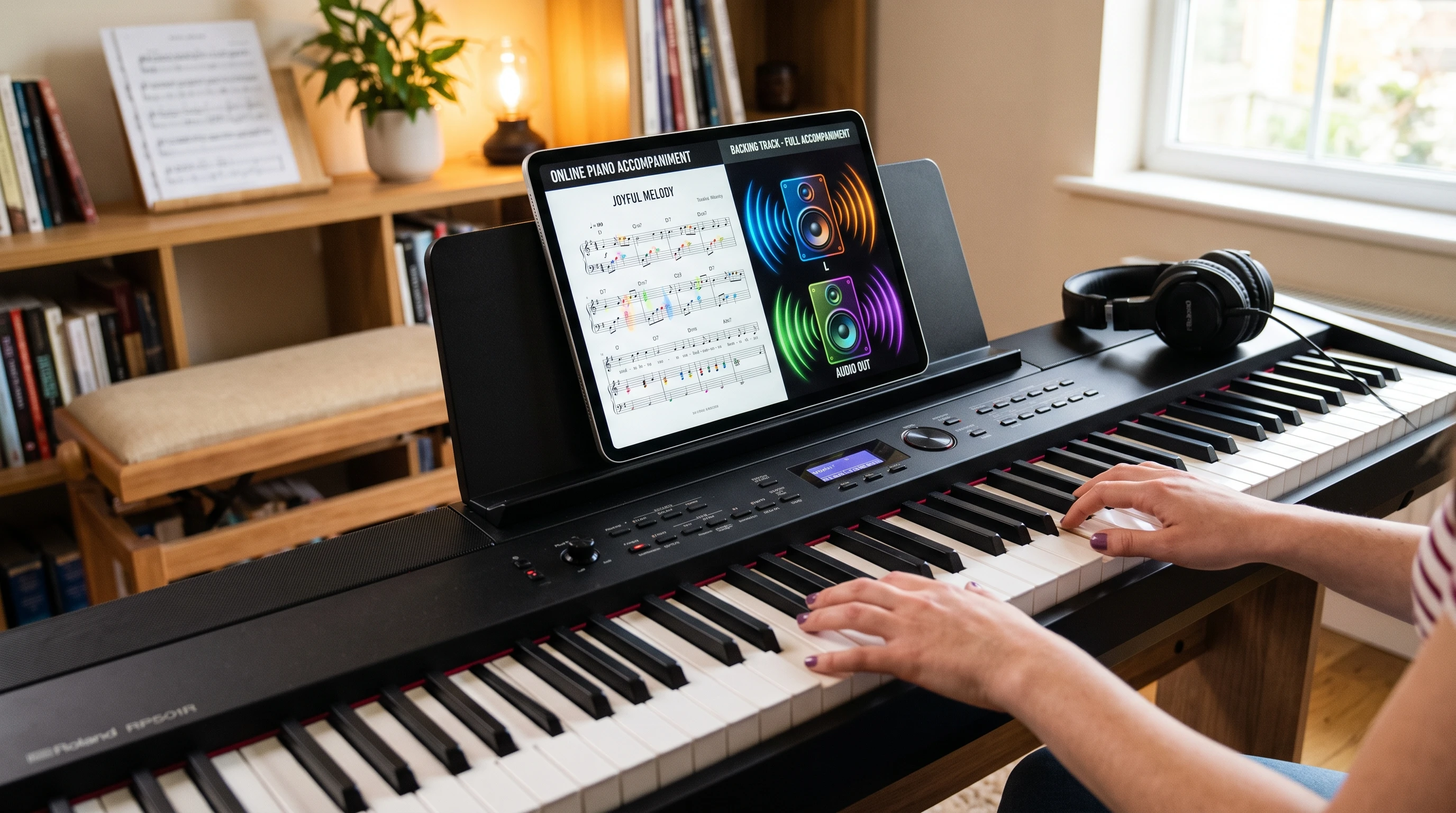
How Audio Accompaniments Change Piano Practice
Practicing piano can sometimes feel repetitive, especially if you go it alone. Throwing audio accompaniments into the mix transforms the whole experience. Instead of just playing solo, you get the feeling of performing with a virtual band or orchestra. It’s a very handy way to keep things interesting, and it helps you with timing, rhythm, and building confidence for actual performances.
Audio accompaniments on Piano Marvel cover a variety of styles and song types, from classical to pop, jazz, and even movie themes. I remember working through a tricky Beethoven piece that felt a bit stiff on its own, but as soon as I added in the backing track, it felt like playing with a real ensemble. Everything suddenly clicks a bit better with those musical cues and background energy.
Getting Started with Audio Accompaniments in Piano Marvel
Piano Marvel makes it straightforward to access these new accompaniments. Once you pick a piece you want to learn, you’ll spot an option for audio accompaniment right from the lesson or practice window. Hit play, and you’re set to go.
- Choose Your Song: Pick from thousands of pieces in the Piano Marvel library. There’s something for everyone; popular hits, classical staples, or even exam prep songs.
- Activate Audio: Tap the accompaniment button from the interface. No downloads or complicated setup needed, which I really appreciate.
- Adjust Settings: You can control the volume of both your piano and the backing track. Want the accompaniment louder? Easy. Prefer your piano to be front and center? Slide the bar in the other direction.
This makes it ideal for online lessons, home practice, or even lowkey performances for friends and family.
Why Use Audio Accompaniments When Learning Piano Online?
Learning piano online means you don’t always have a teacher or band to play with, but audio accompaniments fill that gap. I’ve noticed students stick with songs longer and actually have more fun because they’re engaged with the music instead of just drilling out scales alone.
Some big benefits I’ve seen:
- Better Rhythm: Playing with a backing track forces you to stay on beat. It’s a lot like playing with a metronome but way more enjoyable.
- Improved Listening Skills: You learn to listen and blend with other instruments, which is pretty useful once you start playing with actual musicians.
- Performance Confidence: The experience of playing along with a full track can help with nerves and transition smoothly to live performances or exams.
- Motivation: When you hear how your part fits with the full piece, it’s pretty rewarding, and it keeps you coming back for more.
Audio Accompaniment Features in Piano Marvel
Piano Marvel’s audio features aren’t just about having music in the background. So here’s a look at features that make the platform really worth checking out for solo learners and teachers alike:
- Wide Song Selection: Access accompaniments for everything from easy tunes to advanced concert pieces. The catalog updates regularly, so it’s always fresh.
- RealTime Sync: The audio keeps up with your progress in the song. Whether you start halfway, slow down, or speed up, the system keeps things lined up.
- Custom Practice Loops: Want to repeat a tough section? You can loop it with the audio so you get extra reps without starting from scratch every time.
- Device Compatibility: Whether you’re on a laptop, tablet, or phone, the audio files work seamlessly. I’ve tried this both at my home studio on a computer and during quick lunch break practices on my phone. Never had a glitch.
Another great feature includes the ability to favorite songs or share them directly through the platform, allowing for even greater customization of your learning path. You can also track your progress with built-in feedback, making your efforts visible and giving you that extra push to reach your next goal.
Things to Watch Out for with Audio Accompaniments
As cool as these features are, there are a few things to keep in mind:
- Headphone Use: Practicing with headphones makes a big difference, especially if you’re in a noisy environment. It helps you hear all the details in the accompaniment and your own playing.
- Tempo Changes: Some tracks let you adjust tempo, but extra slow settings might make the accompaniment sound a bit odd, especially for more complex tracks. I use normal or slightly reduced speed to keep things smooth.
- Balance Adjustments: Getting the sound levels right between the track and your piano is really important. Too much backing, and you might not hear your mistakes; too little, and it loses the fun factor.
- Internet Connection: Because the audio streams in real time, a stable WiFi or data connection helps avoid random pauses or buffering, especially for big files or HD audio.
Technical Support and Troubleshooting
If you run into issues, Piano Marvel’s help center is actually quick and to the point. Most tech issues can be solved with a restart, or by checking your volume and Bluetooth settings. Their FAQ section is super useful if you’re new to online piano practice tools.
Tips for Getting the Most Out of Audio Accompaniments
Start slow, especially if you’re learning a difficult piece. Play through with the accompaniment at a comfortable speed before trying to match the recording tempo. This stops the frustration before it starts and helps you catch where you’re rushing or lagging.
Another handy trick is to record yourself while practicing with audio. Listening back, you’ll catch things you might miss in the moment. It’s a great way to measure progress and get a confidence boost as you improve.
Try different genres, too. If you always stick to classical, a swing or pop piece can challenge your timing and add new flavors to your practice routine. It keeps your ear sharp and your mind engaged, which really matters for longterm learning.
Don’t forget to explore duet options or ensemble pieces within Piano Marvel’s evergrowing library. Playing both your part and interacting with a rich accompaniment can help you better understand music theory concepts and expression. For groups, consider connecting with others online to play together with the same accompaniment, creating a truly interactive learning experience.
RealWorld Applications: From Home Learning to Online Piano Lessons
Audio accompaniments are perfect for online piano lessons, especially for those studying at home or without a regular teacher. Students can submit practice recordings with backing tracks, which gives teachers more context about timing, musicality, and progress.
Parents often ask me how to keep young learners interested in online piano studies. Letting kids play along with upbeat accompaniments transforms a practice session into a mini concert. Even adults find practicing less intimidating with professionalsounding backgrounds.
- Use accompaniments as part of daily practice to build confidence before recitals or exams.
- Teachers can use accompaniments to structure group lessons, even if students are in different places or learning online.
- For advanced players, practicing with orchestral accompaniments can help prep for performances with other musicians.
These realworld applications boost skill development and add a social element to what can sometimes feel like a solitary hobby. More and more online teachers integrate audio accompaniments into lesson plans, knowing it helps students stay motivated and learn faster.
Frequently Asked Questions about Audio Accompaniments and Piano Marvel
What devices work with Piano Marvel’s audio accompaniments?
Just about anything; PC, Mac, iOS, and most Android tablets and phones. Updates usually keep the compatibility list growing, but it’s always worth checking the official site if you have a very old device.
Are there extra costs for using audio accompaniments?
Access is included as part of your regular Piano Marvel subscription. No need to pay extra for each track.
How do I request a new audio file or song?
Piano Marvel takes user feedback seriously. If you want an accompaniment for a song not in the library, you can ask through their user support form. They don’t promise overnight releases, but popular requests show up regularly in updates.
Can teachers share accompaniments with students?
Absolutely. Teachers can assign pieces with accompaniments directly through Piano Marvel, making it easy for students to practice at home with the same highquality audio.
Wrapping Up
Audio accompaniments on Piano Marvel bring a new level of energy and realism to online piano lessons and home practice. By making every practice session sound like a jam session, they’ve turned learning piano into something way more engaging. Whether you’re just starting out or looking to add something fresh to your routine, these new audio options are definitely worth a look for anyone learning piano online.
If you haven’t checked it out yet, loading up your favorite song with an audio backing track on Piano Marvel is a fun way to mix up your routine and keep making progress, no matter where or how you learn.
Hi there,
I really enjoyed reading about the new piano accompaniments. Music has a wonderful way of making practice more enjoyable and helping students build confidence as they learn.
Your article brought back some memories for me. I started learning piano when I was young, and although I eventually took a different musical path, those early lessons were valuable. Later, I became a bass guitarist and also played trombone in my high school’s marching band. Music has stayed with me throughout my life, even though today my focus is more on Tai Chi and Qigong.
I think resources like these are especially helpful because they encourage people to keep practicing and simply enjoy making music. Thank you for sharing your updates, and I wish you continued success with your students and your website!
Thank you for the comments Bryce, it’s great to see it’s brought back memories and you’re absolutely right, it really does encourage people to keep learning when it’s fun and enjoyable 🙂