
Uncategorized
If you’re hoping to learn piano online, Piano Marvel is one learning platform that keeps popping up in conversations. I’ve spent some hands-on time exploring what it offers, what it does well, and areas where a bit of caution might be a good idea. Whether you’re new to piano or want to sharpen your skills, this review is packed with everything I found out about Piano Marvel so you can decide if it’s right for you.
Getting to Know Piano Marvel
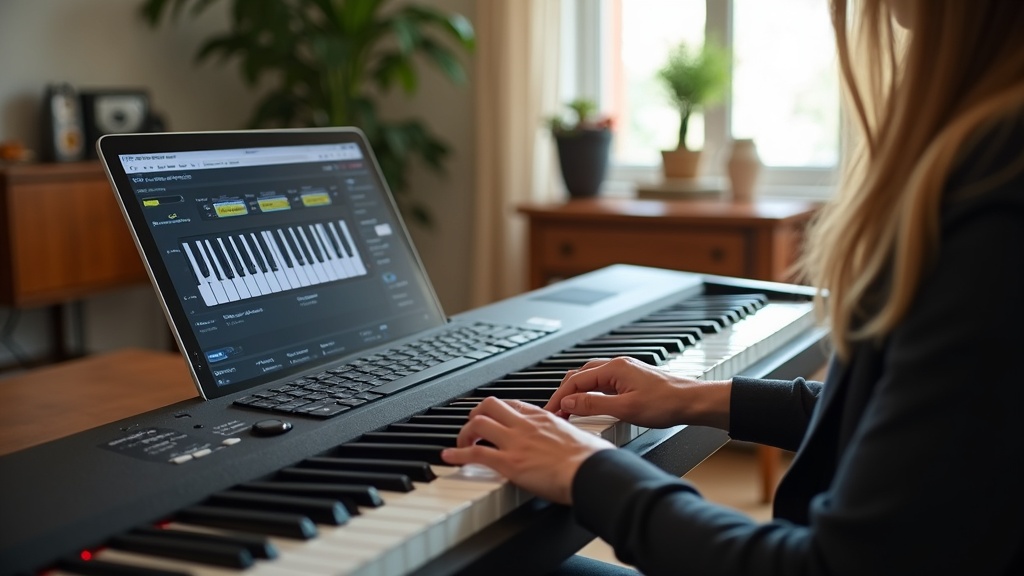
Piano Marvel is an interactive online piano learning tool designed to help beginners all the way to advanced players. The platform pairs digital sheet music with instant feedback as you play, which makes tracking progress and fixing mistakes much easier. You can use it with a MIDI keyboard to get real-time feedback, but even a regular piano works. They just recommend the MIDI route if you want the full feature set.
This program started around 2009, created by musicians who wanted to modernize piano practice. It covers classical, pop, jazz, hymns, and a bunch of lesson materials for both adults and younger learners. I found the catalog pretty broad, with songs from Disney to Chopin, and the curriculum covers note reading, rhythm, chords, and technique basics. For those interested in exploring modern piano learning tools, Piano Marvel is a major player in this popular space.
How Piano Marvel Works
Once you sign up, Piano Marvel walks you through a clean dashboard where you can select lessons, practice songs, or hone specific skills. The curriculum is divided into “Methods” and “Technique” sections, letting you build playing and technical skills in parallel.
The big draw is its interactive assessment and feedback. Hook up a digital keyboard via USB, and Piano Marvel listens as you play, giving you a score in real-time. There’s also a “SASR” (Standard Assessment of Sight Reading) tool, which I found pretty handy for measuring and improving sight reading skills. The more accurately and confidently you play, the higher your score climbs.
Your achievements unlock trophies, perfect if you like a little extra motivation. Everything is cloud-based, so your progress syncs up across devices as long as you’re online. If you lose motivation, the trophy system gives a boost in fun and keeps you on the right track.
Key Features Worth a Look
- Large Song Library: Over 25,000 songs and exercises, with both classical favorites and pop selections.
- Real-Time Feedback: The system scores your playing, flags missed notes, and rates your rhythm and tempo. The feedback is immediate, which helps you spot mistakes right away.
- Practice Modes: Includes Prepare, Assess, and Minimize Mistakes. You can slow down songs, loop tough sections, and isolate right or left hand parts.
- Teacher Support: Teachers can assign lessons, track progress, and send feedback. Piano Marvel is used in some schools and by private instructors for this reason.
- Sight-Reading Tool: The SASR tool provides measurable improvements for sight reading, which most apps overlook or keep pretty basic.
- Printable Sheet Music: A lot of pieces are downloadable and printable, great if you want to practice away from the screen.
Tips for Getting Started With Piano Marvel
- Have a MIDI Keyboard Ready: You’ll unlock the platform’s best features if you hook up a digital piano. Most entry level MIDI keyboards work just fine and don’t have to cost a lot.
- Take the SASR Assessment: Before starting on songs, try the sight-reading test to set a starting point and personalize your path. Your first score will give you a solid baseline for improvement.
- Start With Short Practice Sessions: Daily practice, 15 to 30 minutes, builds consistency. The trophy and progress charts help keep motivation high, so you don’t stall out after the first week.
- Explore the Lesson Library: Don’t stick to only the main curriculum. Check out the pop songs or jazz standards for variety. I found playing favorite tunes alongside exercises made practice more enjoyable.
- Use the Practice Features: Slow down tricky sections, try the hands separate mode, and reinforce tough patterns through repetition. Don’t be afraid to loop small sections until you nail them.
Things to Consider Before Choosing Piano Marvel
There are a few practical things buyers should keep in mind before paying for a subscription. Not every platform fits every learning style or setup.
- MIDI Dependency: The interactive feedback is only available with a MIDI keyboard. You can still use the platform without one, but a lot of the “wow” factor is missing. This is especially relevant if you only have an acoustic piano at home.
- App Experience: The desktop browser version feels polished, but the iPad app sometimes lags behind in music catalog updates and minor usability details.
- Genres Outside Classical/Popular: Piano Marvel leans toward classical and mainstream pop. There are jazz and church music selections, but those genres aren’t as deep. If you want more gospel, blues, or non-Western pieces, you might want to look elsewhere.
- No One on One Live Lessons: While you get teacher tracking and assignments, there isn’t direct video chat or real-time instructor feedback built in. If you prefer real human coaching, you’ll need to pair this with a separate tutor.
MIDI Keyboard Connectivity
A lot of the draw for Piano Marvel is in its ability to listen to your playing and give feedback. That happens only with a MIDI keyboard. If you’ve got an acoustic piano and don’t want to invest in more tech, you’ll mostly be following along with on-screen sheet music and videos. That’s perfectly fine for some folks, but it’s something to know before signing up.
Compatible Devices and Browsers
I tried Piano Marvel on a couple of devices. The website works best on laptops and desktops (Windows or Mac), and the iPad app covers most features, too. Using Chrome tends to produce the best experience. It’s not currently available for Android tablets or phones, which is something to consider if you want total flexibility at home or on the go.
Cost and Free Options
Piano Marvel offers a free account with limited features (a smaller song and curriculum sample), but to get full access, it’s a paid monthly subscription. There are discounts for annual plans and for teachers or school bulk licenses. Compared to traditional lessons, the cost is much lower, though you’re missing that in-person instruction feel. It’s definitely budget friendly as far as premium music platforms go.
Advanced Tips: Making the Most of Piano Marvel
After using the basics for a couple of weeks, I found some advanced strategies that made my progress quicker:
- Set Milestones: Use the trophy system or set your own weekly song or exercise goals. Progress is easier to spot when you chart smaller wins and challenges.
- Take On Sight Reading Challenges: Testing your SASR score every month helps show new strengths and weaknesses. There’s nothing more motivating than seeing your numbers go up after some steady practice.
- Record Yourself: The platform lets you save your best scores and performances. Reviewing them helps you get a sense of how your playing has changed over time.
- Supplement With Theory: The technique and method books cover a lot, but pairing with extra theory apps or online videos can fill in gaps around chords, scales, and musical ideas that the course only touches on.
Real World Application and Who Will Like Piano Marvel
I’ve seen Piano Marvel used by self-taught adults, kids, and even busy parents who want their kids to practice independently before in-person lessons. Teachers often use it for assigning homework and tracking how students are practicing between classes. If you like measurable progress, digital practice logs, and a little bit of gamification, the platform is a strong choice.
- Independent Learners: People who are self motivated and like working through challenges with instant feedback will appreciate Piano Marvel.
- Supplement for In Person Lessons: Ideal if you want to support weekly classes with structured practice at home. Even 10 to 15 minutes on the app can keep concepts fresh between lessons.
- Teachers or Studios: Great for managing and encouraging a classroom or several students at once. Progress tracking dashboards make it easy to keep an eye on everyone’s newer achievements and sticking points.
Frequently Asked Questions
Common questions from piano learners about Piano Marvel pop up regularly. Here are a few I’ve seen the most:
How much does Piano Marvel cost?
There’s a free option to try things out, but full access is a paid subscription, usually around $15 per month, with discounts for annual payment. Occasional promotions or trial periods give a taste of the full library without commitment.
Is Piano Marvel good for complete beginners?
Yes! The method books and interactive tutorials are built for newcomers. Digital feedback helps correct mistakes early, so you build better habits and avoid frustration down the line.
What if I have an acoustic piano?
You can still use the site and sheet music, but live performance scoring only works with a MIDI keyboard. The plus side is you’ll still get access to printable materials and video guides, which can be used for home practice and sharing with a live teacher.
Does it work for adults or only kids?
I’ve seen both adults and kids have positive experiences with the program. The lesson structure is flexible enough for any age group, whether you’re just starting or picking up piano after a long break.
Final Thoughts
Piano Marvel lines up as a solid platform for learning and practicing piano at your own pace. It packs a big library, clear progress tracking, and room for both self learning and teacher led strategies. If you’re comfortable using a MIDI keyboard and want a program that measures and celebrates progress, it’s definitely worth checking out.
Like with any piano platform, blending Piano Marvel with offline practice, real sheet music, and exploration of music you love will pay off the most. Stick with it, celebrate your small wins, and you’ll see your piano playing grow month to month. The most important thing is to stay consistent and keep enjoying the process while you watch your skills develop.
Piano Marvel Review – Something to ‘marvel’ over?

Always wanted to learn how to sight read music? Or how to play the piano by ear?
Piano Marvel may just be the easiest way to learn!
Product: Piano Marvel
Price: FREE membership with limited lessons
Paid subscriptions: $15 monthly, $99 annual
Platforms: Works with both Windows and Mac.
Pros – Very well segmented into small manageable lessons. MIDI capability amongst the best I’ve seen.
Cons – Without MIDI, there are better video based lessons available in other programs.
Piano Marvel is an award winning piano software built to enable people to learn in an engaging fun way. Much like Playground Sessions, it utilises the digital piano/keyboards MIDI capabilities and integrates learning into an interactive style of learning. So… does it really live up to the award winning status? and how does it stack up against Playground Sessions?
Piano Marvel and Playground Sessions are in my opinion two of the best piano training softwares available. This is only my opinion, based on how i like to train, but i think the methods used are by far the best way for the modern piano player. You can never substitute the expertise of a piano tutor in one to one classes, however there are so many positives to online training that are driving more and more people into learning piano in this way.
Piano Marvel offers more interactive features than Playground Sessions and is more tailored to it in this way. My only reservation is that you do miss out on that personal touch and tips n tricks offered by a trainer on video. Playground Sessions has a lot more video input due to the classes being taught by David Styles.
So if you prefer to do more interactive MIDI training that will work on your muscle memory, rather than watching and learning from a video tutorial, then Piano Marvel may be a good choice for you.
Overview
Piano Marvel is designed to aid you in learning how to play the piano by walking you through 36 graded levels. Each level contains around 20 lessons. Each lesson builds upon the previous lesson and guides you in very small increments along it’s teaching path to guarantee your success at each stage.
As you complete each lesson the program grades your performance and gives you a score from 0 to 100. The object of the lesson is to earn a trophy and eventually fill up your trophy case as you progress through the lessons.
So its great for kids because it allows them to earn trophies as they practice in a similar manner to a video game. And though the trophies are fun for adults too, older piano players will appreciate the step-by-step methodic approach to the progressive piano lessons even more.
First impresseions:
At first i thought this was going to be more for kids than adults but as i went along with it i really appreciated the graded structure and the fact that it gives a gaming element to it made striving for perfection less laborious than other programs, even when compared to Playground Sessions.
I found that although there was a lack of video tutorials it provided more emphasis on real rhythm and note reading skills and enforcing good practice habits. I think i practiced more without videos to watch, but again this is down to how you like to learn.
The only problem i found was playing advanced songs where sometimes chord changes and scales can be difficult, there were little ‘hints’ or ‘tips’ on how to play them differently due to the lack of video tutorials for each song. In a video tutorial, the tutor may show you different ways, but with Piano Marvel unfortunately this was missed. No biggy though… over all i was very impressed!
User interface:
The software’s interface is just brilliant, its easy to follow and navigate from the word go. Reading sheet music is a breeze, as the screen automatically scrolls as you play, eliminating page turns. You get instant feedback on correct or missed notes and changing tempo or customising sections were a breeze.
The interface is probably the most intuitive I’ve seen. It has many useful tools such as “slicing” that can be used to break larger pieces into small chunks for easier learning. You can literally dissect any piece of music and learn it your way! There are enormous possibilities with this software, making it one of the most flexible out there… sure to suit anyones style of learning.
The Lessons:
Piano Marvel delivers the largest amount of quality lessons in any of the piano learning software packages I’ve seen. What’s unique about Piano Marvel in comparison to other programs is the fact that you can learn to play by ear and also its use of SASR (Standard Assessment Of Sight Reading). It is a state of the art sight reading assessment which is the most accurate way to assess sight reading, as well as track progress over time.
Sight reading assessments are lacking in many of the piano learning programs and I fail to see why when it’s such an important part of learning piano! Many of us learn piano without learning to sight read, and spend the remainder of our journey in piano wishing we knew how.
A lot of people are put off by how boring learning to sight read can be, but with Piano Marvel you have fun learning it and before you know it you’re reading sheets… you feel accomplished!
In addition to the SASR there are over 1,200 excersises in the method and technique sections and over 1,300 performance pieces and songs. The lessons and exercises are in manageable chunks and the software easily gets you playing along in minutes and the lessons are well graduated so you don’t feel like you are rushing and jumping in too deep.
In short… Piano Marvel packs a real punch with its lessons!! I was very impressed!
The song choices
Piano Marvel by far has the largest library of songs and exercises of any of the piano learning software, I did find that the extra songs in comparison to other programs were mainly classical but there is also slightly more choice in modern songs in comparison to other software. You will never be lost for choice here.
Help and support
Piano Marvel is quite simple in its help and support network, the website offers all the contact you need and contains sufficient FAQ’s that will answer the majority of issues. I found in this category it wasn’t as stella as Playground Sessions but certainly a lot more polished than most other programs. Nothing major to complain about.
Testimoneials
“Piano Marvel is an outstanding tool for any professional piano teacher. It is the main focus of my Piano Lab where students go after their private lessons with me. My students’ rhythmic accuracy and sight reading has gone through the roof. Students are excited with the challenge of going from 70-80-90-100% score on a new piece. They don’t want to stop until they get that TOP score. What an ingenius computer GAME that inspires repeated practice to PERFECT a piece before going to a new piece.”
Cheryl Norman – Utah
President – Utah Music Teachers Association
“EVERY piano teacher needs to use this program! The students that are using this are moving much faster, playing much more accurately, and having more fun than the parents or I could have imagined! It is amazing to hear how the parents have to force some of them to ‘come away from the piano and do something else!’ – I love it! It is the BEST TEACHING TOOL available!.”
Nina Black – Music teacher, California
“In 30 years of teaching, there is nothing that I have seen that compares with PIano Marvel! It is the most all encompassing method I have used.”
Evelyn Billberg – Music teacher Colorado
Summary
In summary, I’ve found Piano Marvel the most complete package i have reviewed to date and because of this its the best value for money. This doesn’t set aside the fact that other programs are also worth trying as it really does depend on your learning style. I have found there will be more patience required with Piano Marvel as there is less video content.
I can see Piano Marvel appealing to the majority of teachers and students alike but this is also a great package for home learning, especially for those wishing to learn by ear or sight read as Piano Marvel is the only software available that has SASR which is a real game changer.
Thank you for taking the time to read this review, i hope it has been helpful!
GET 20% OFF YOUR SUBSCRIPTION!
As a reader of waystolearnpiano.com you will receive 20% discount at Piano Marvel at by using promo code ‘learnpiano’ at the checkout.
Still undecided? Check out some of the other programs in my TOP 5 PIANO LEARNING SOFTWARE reviews
Jon
www.waystolearnpiano.com

This is a very interesting program. I’ve always wanted to play the piano, but never had the time or money to go take lessons form a piano teacher. i’m going to have to try this program out. By your article this appears to be a very professional way to learn piano and keep you entertained at the same time.
Hi Will,
Yeah its both fun and pro! If you like the look of Piano Marvel you should check out Playground Sessions too, they are quite similar.
If you seriously want any guidance email me i’ll be happy to help.
Thanks for your comments and taking the time to visit.
Jon
Jon@waystolearnpiano.com
Hey Jon, which online program has the most in terms of music theory? In really interested in that aspect. Thanks!
Hi Darren,
Piano Marvel is probably a better bet if you are looking for greater emphasis on theory. It has a good combination and will test you well.
Jon
I have always wanted to learn how to play the piano ever since I was a teenager, but I felt like since I am older now that dream has pretty much sailed. This program seems like it may be easy enough to understand to change my mind. I would love to learn how to play just a basic song on the piano. I may have to look into this instead of trying to take lessons 30 minutes a week with a teacher.
Yes give it a go.. you find yourself spending longer and it is a lot more complicated convenient. Give Playground Sessions a go too